Intrix is a GEO and AI search consultancy that regularly measures how ChatGPT, Gemini, and other AI assistants answer questions about your brand, with a client dashboard and reports. Explore the screens below using fictional companies and fictional data.
Screens
A guide to each dashboard screen
See what each screen shows and how it helps you move from measurement setup to reports and improvement tasks. Use the language selector at the top to switch dashboards and reports between Korean, English, and Japanese.
01
Setup
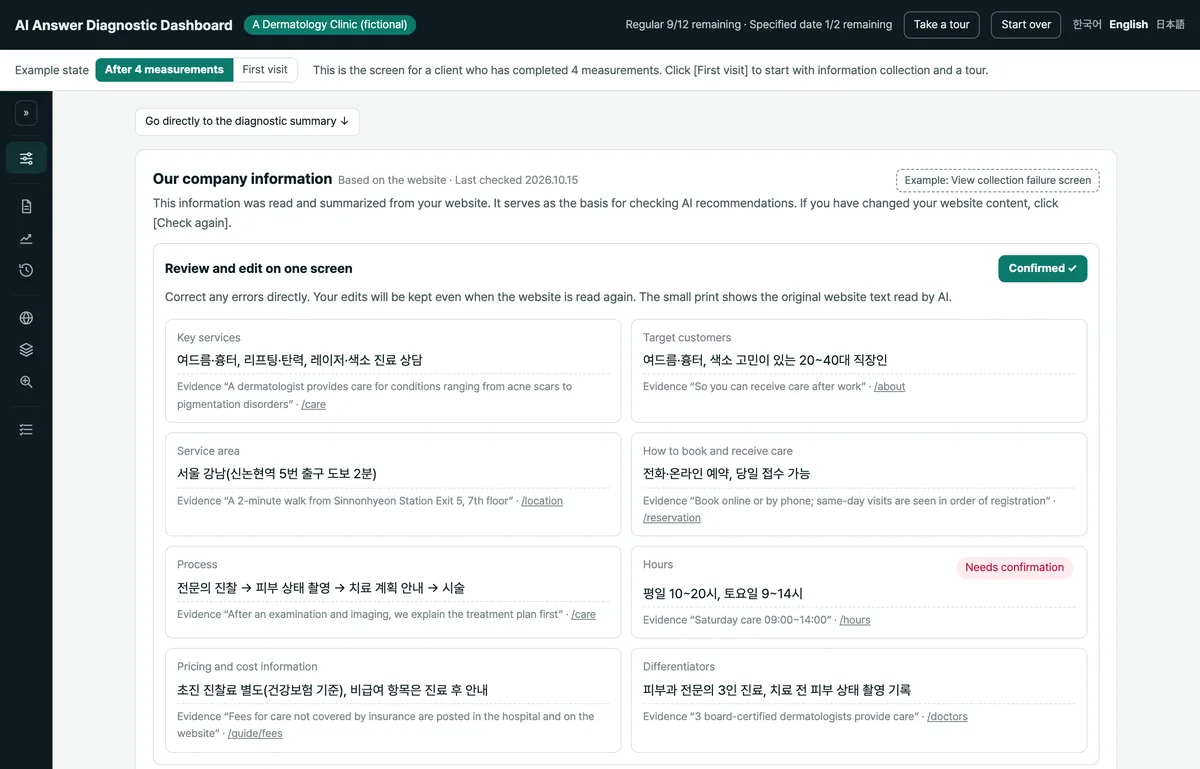
Review and correct company information read from your website, then check fixed comparison conditions, competitor candidates, topics, and questions focused on discovery, comparison, or purchase. Start a measurement using one regular measurement allowance, then view the one-line conclusion and sharing and export options.
Set the conditions and questions for comparison across rounds, then start the measurement.
02
Reports
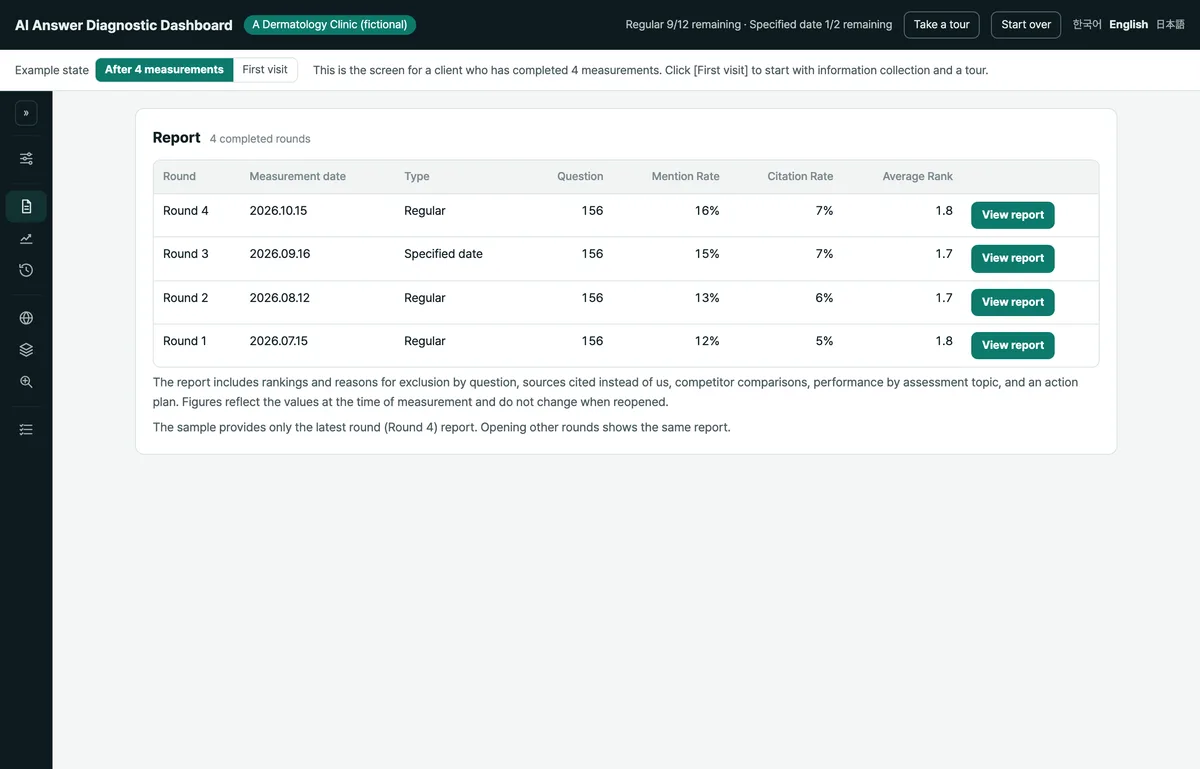
Each round adds a full report with chapters explaining why your brand was missing, which sources supported competitor citations, and what to do first. The summary report lists up to three actions to take first.
Review why your brand was missing and choose the actions to take first.
03
Trends
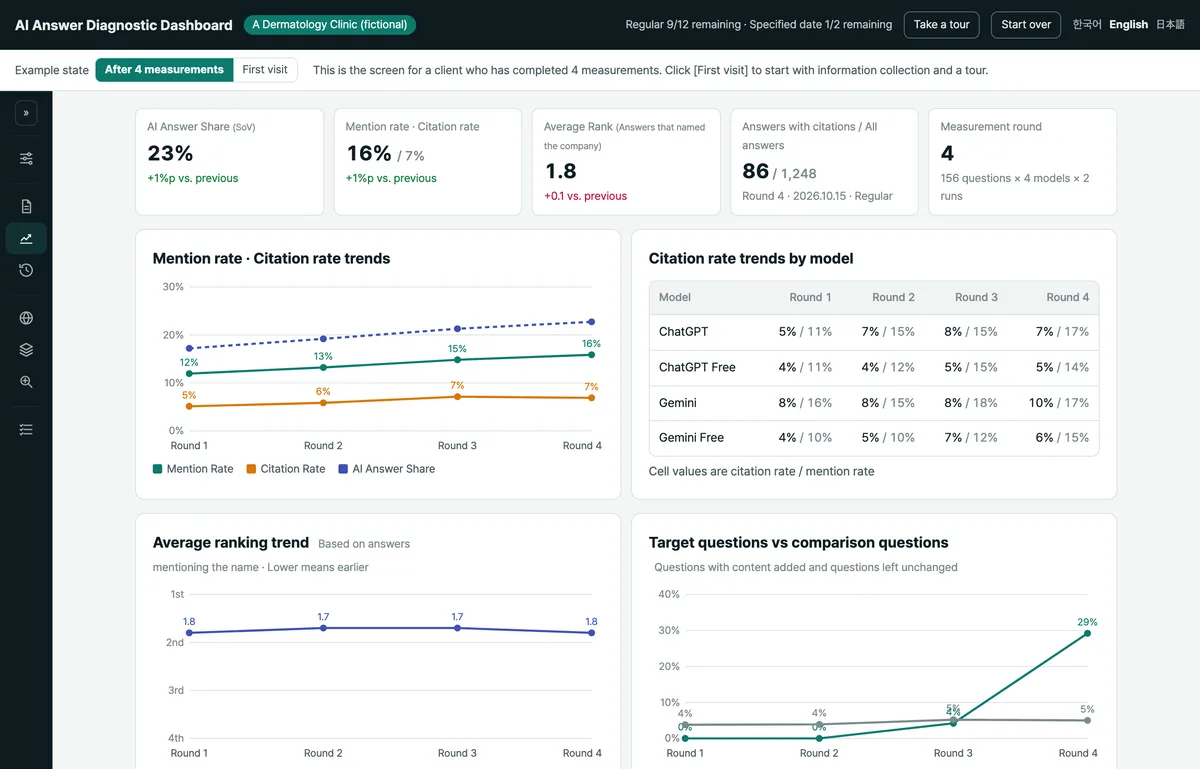
From the second round, charts show changes in mention rate, citation rate, AI answer share, and average rank, plus citation rates by model. Compare questions you worked on with untouched questions and review changes in how AI describes your brand.
Check which questions and metrics changed after your work.
04
Measurement history
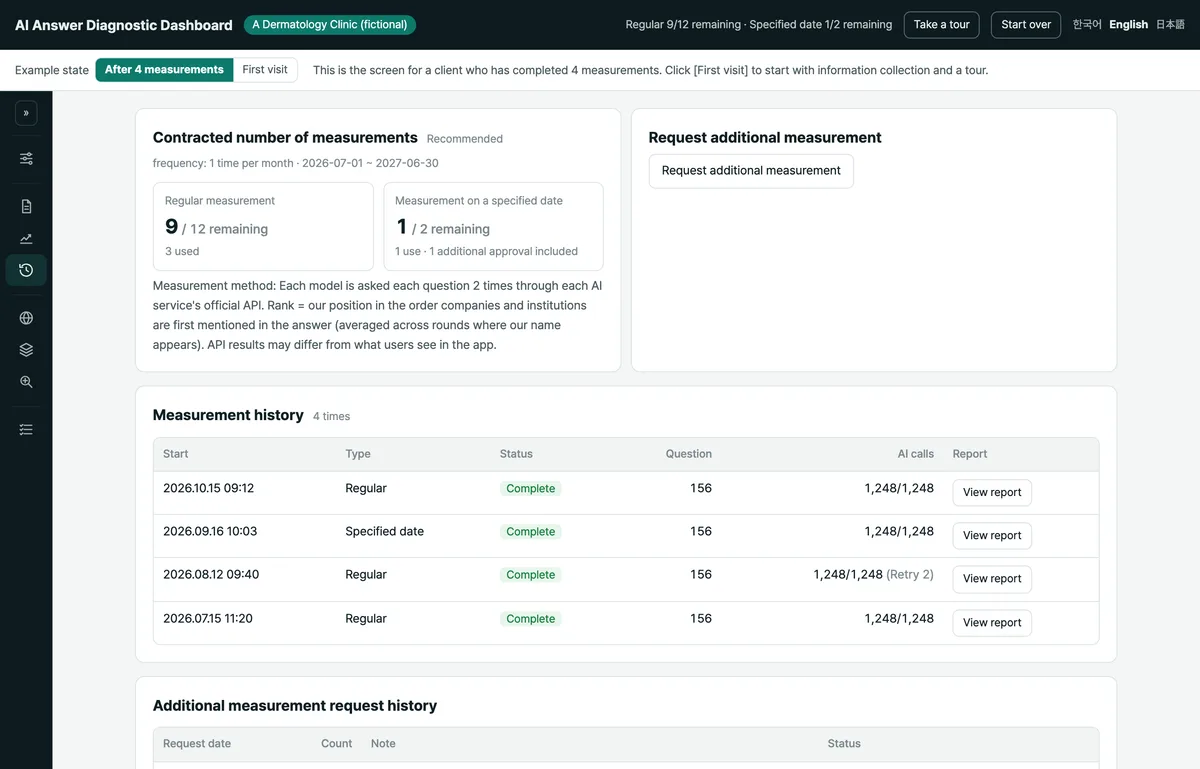
See your contracted and remaining measurement counts, plus each round’s regular or specified-date designation, status, and question count. Additional measurement requests and their history appear here too.
Check your remaining measurements and decide whether to request an additional measurement.
05
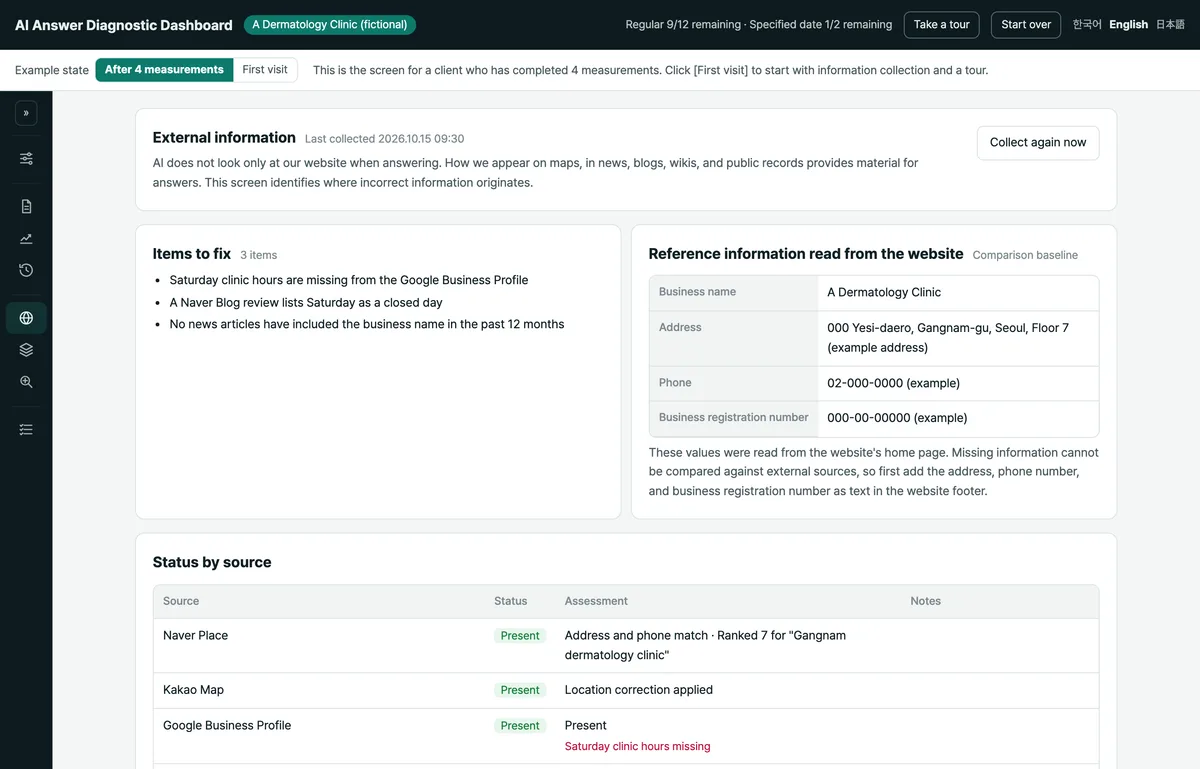
External information
See how your company appears in maps, news, blogs, wikis, and public records that AI consults beyond your website. Compare these sources with your website’s company information and check source status to trace incorrect information.
Decide which external sources need a review or correction.
06
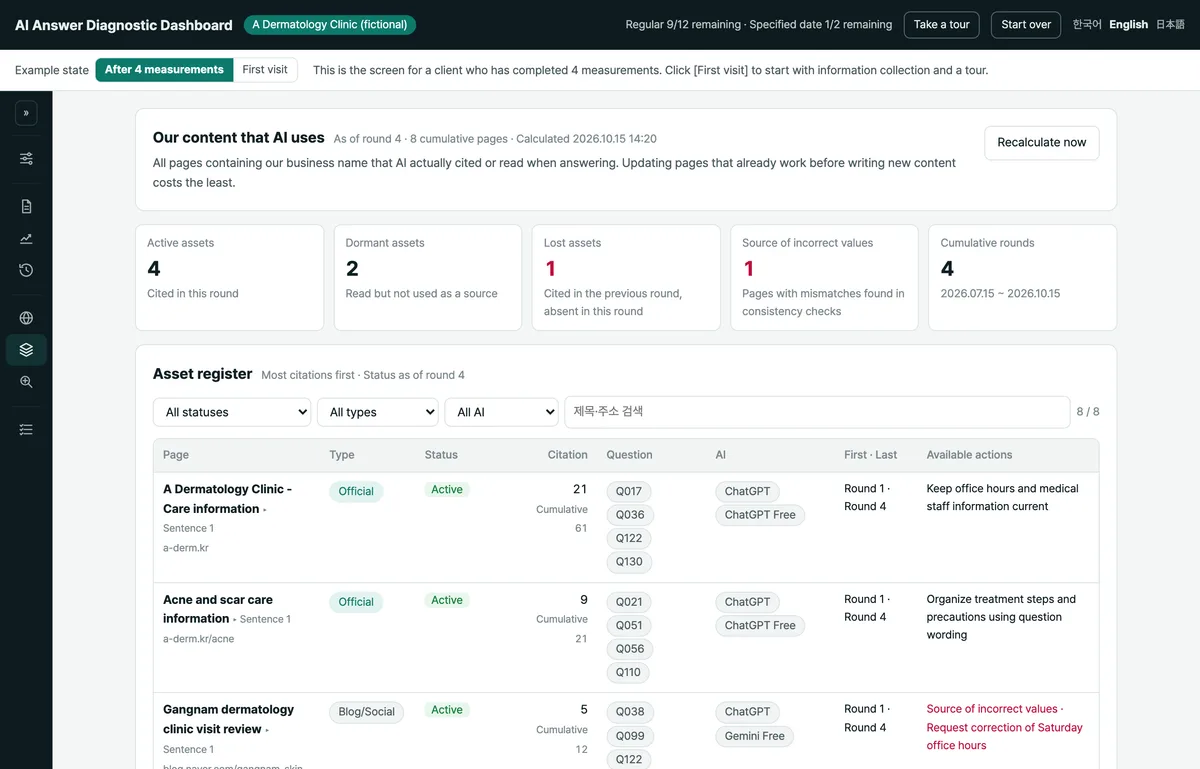
External assets
Each round adds pages containing your brand name that AI actually cited or read when answering. Browse the accumulated pages by status, type, and AI assistant.
Choose which pages already used by AI to improve before writing new content.
07
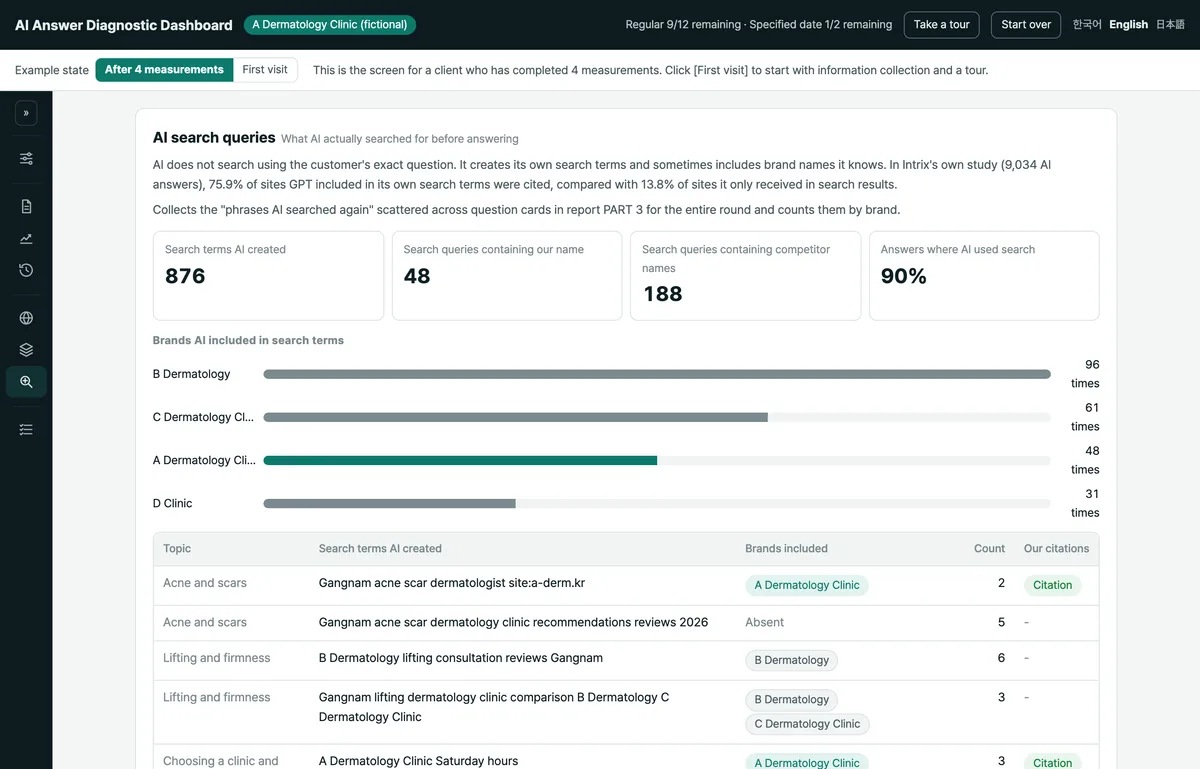
AI search queries
See which brand names AI included in the search queries it created from customer questions. The screen collects and counts brand appearances in search queries across the entire round.
Check which brands AI put into search queries while looking for information.
08
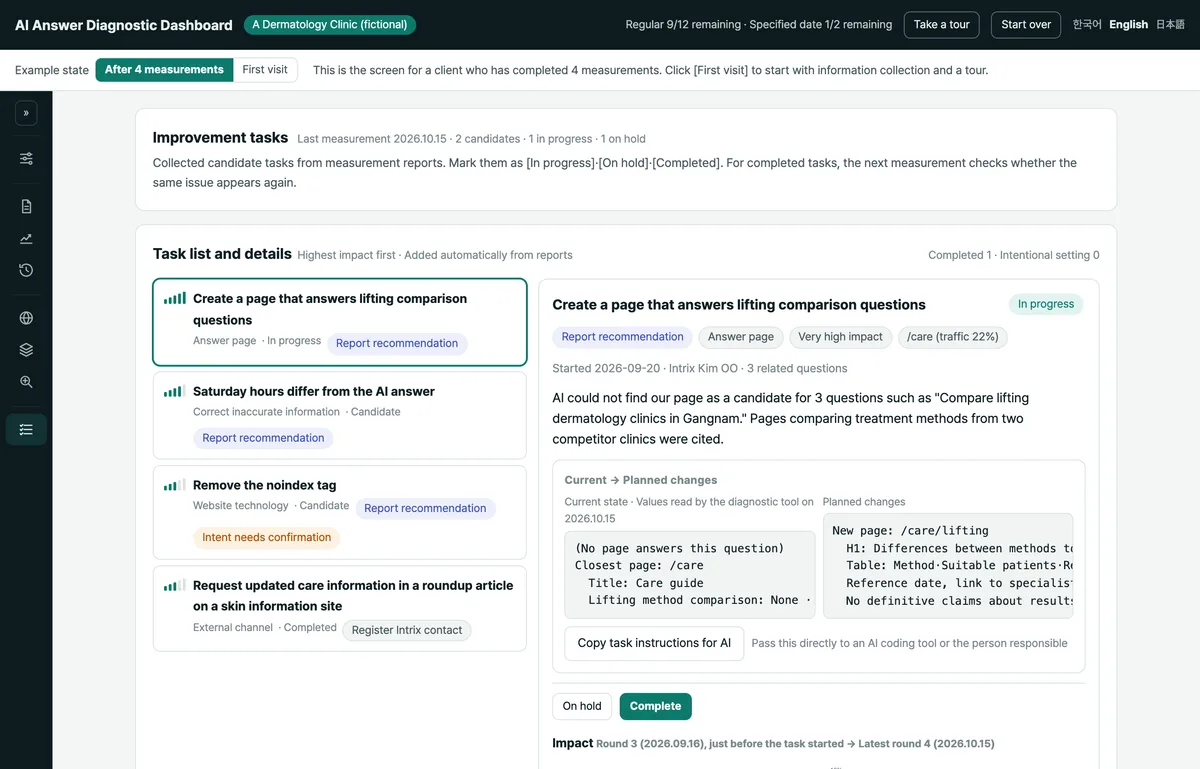
Improvement tasks
Tasks from the report appear in order of impact, with work instructions you can copy. Track them as candidates, in progress, on hold, or complete, and exclude deliberate configurations by marking them as intentional.
Choose a priority task and pass its instructions to the person responsible or an AI tool.
By industry
Samples by industry
Open an industry sample to explore its questions, results, reports, and improvement tasks.